Career Development
Create and set up your account
This tutorial provides instructions for Willamette University on-campus employers.
If you are an off-campus (non-Willamette) employer, please check the Handshake Help Center.
Create a New Account
- Go the Handshake New Account page: willamette.edu/go/recruiter-handshake
- Click the “Sign up here” link
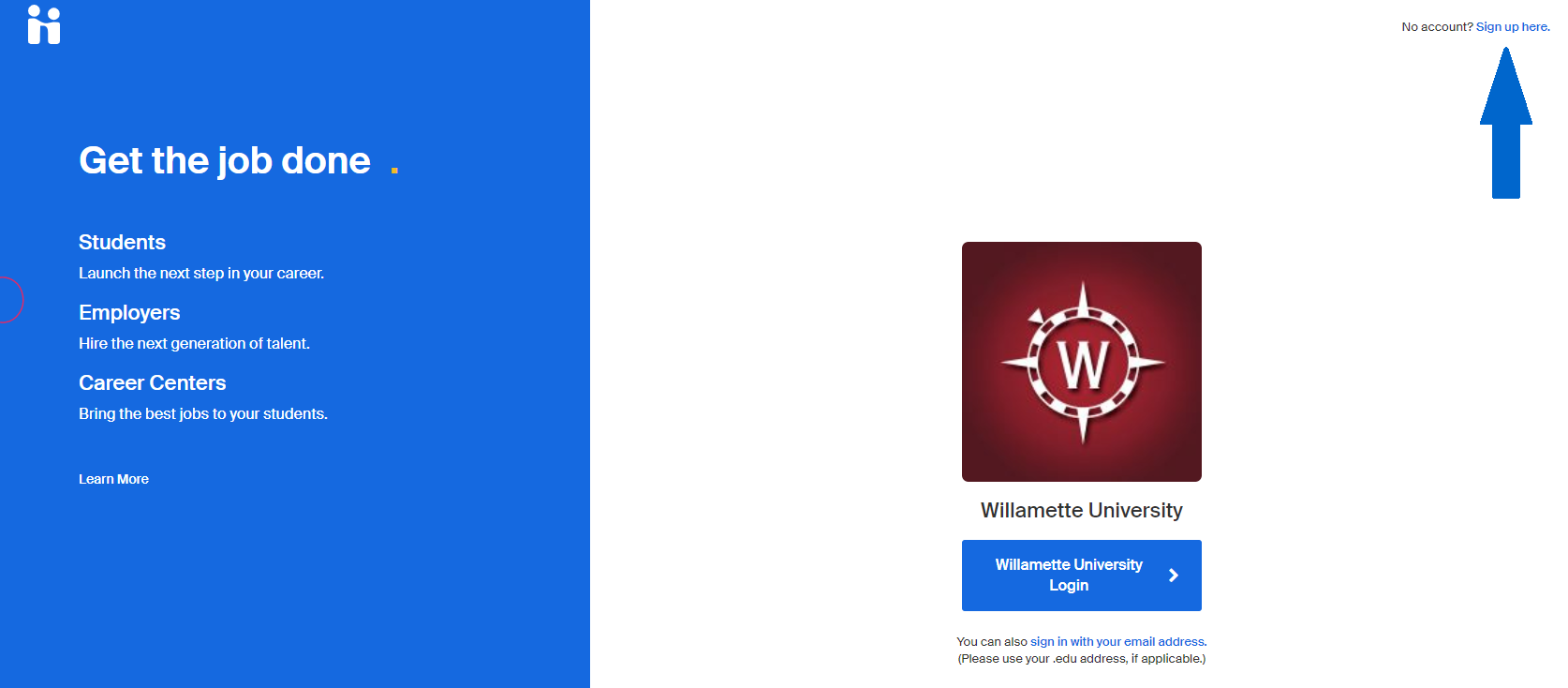
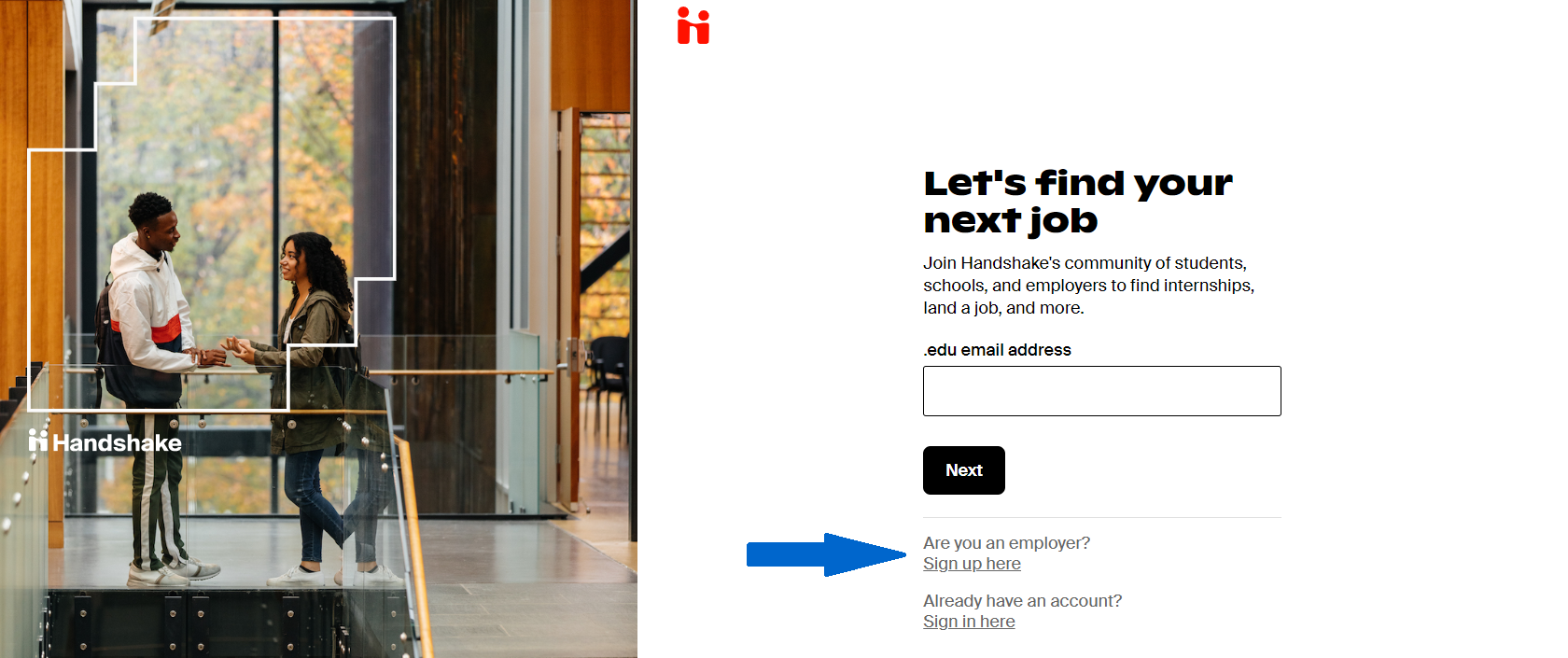
Type of Account
- Select the “Sign up here” button underneath "Are you an Employer"
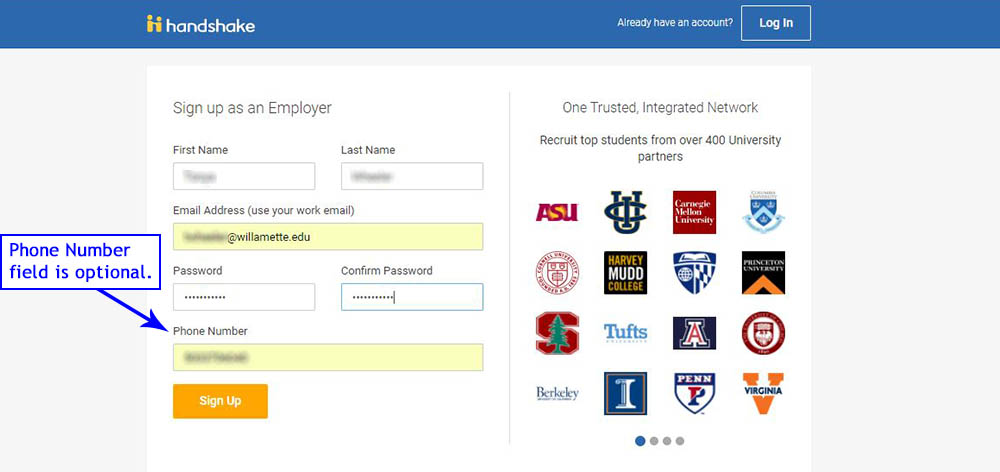
Sign up as an Employer
- Complete the form fields
- Use your Willamette email address
- Create a password
- Phone number is optional
- Click the "Sign Up" button
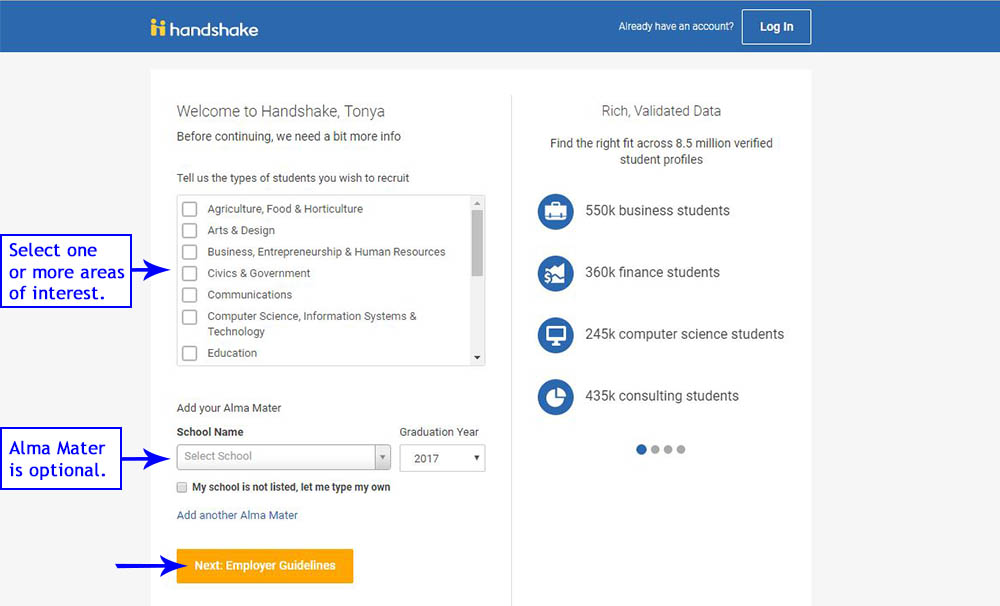
“Welcome to Handshake” screen
- Choose your area(s) of interest for recruitment
- Add your Alma Mater (optional)
- Click the “Next: Employer Guidelines” button
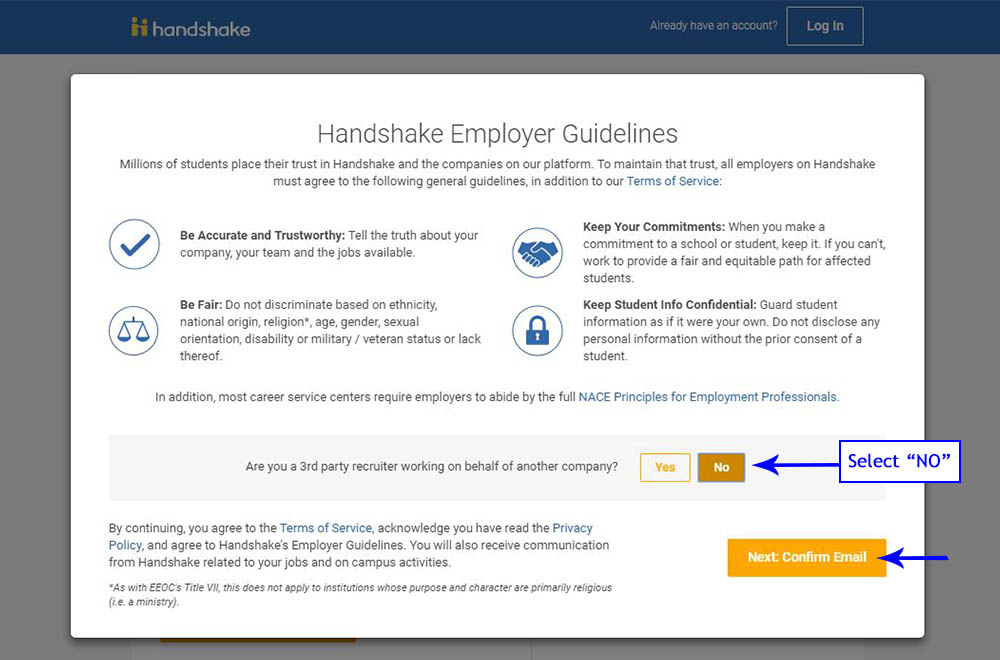
“Handshake Employer Guidelines” screen
- Select “No” to third-party recruiter
- Click the “Next: Confirm Email” button
Handshake confirmation screen
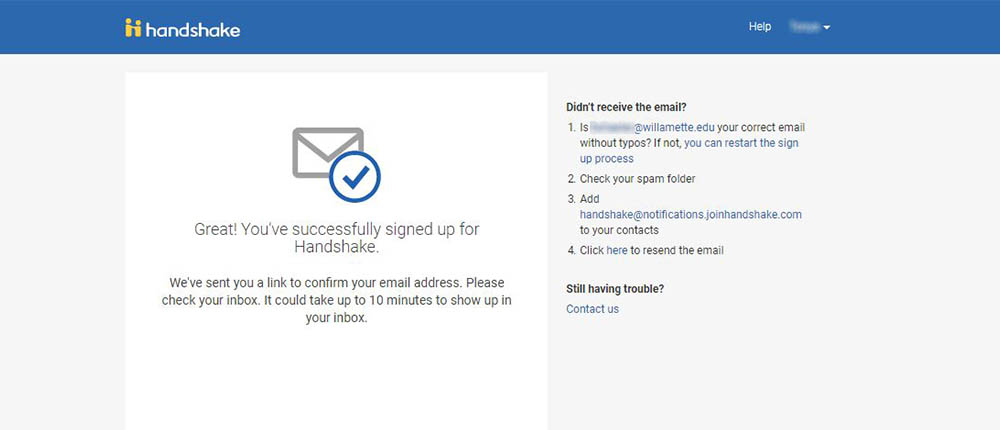
Check your email
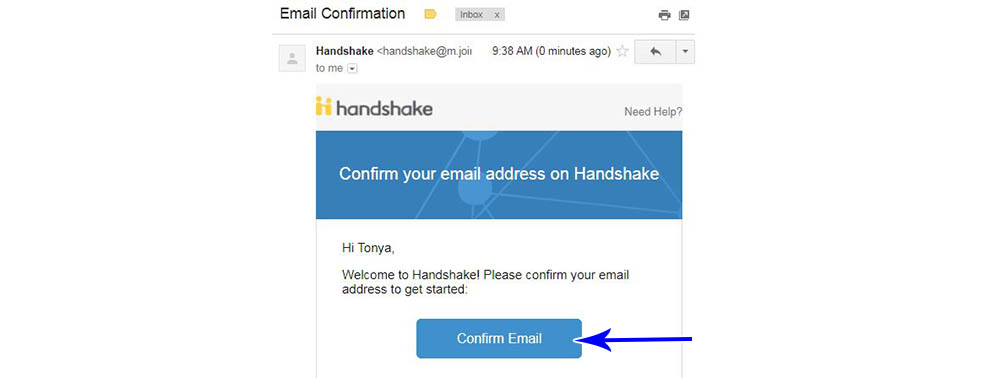
- Check your inbox for an email to confirm your email address.
- Click the “Confirm Email” button
Join Company
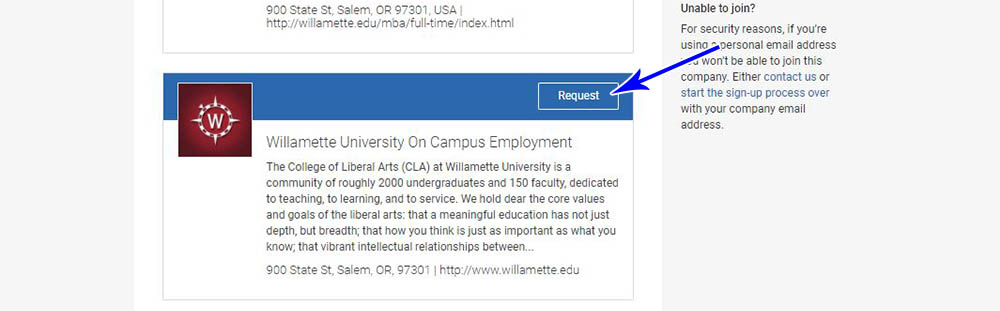
The email button will take you to Handshake’s “Step 3 of 4 – Join Company” screen.
First: Click the Request button in the “Willamette University On Campus Employment” section. (The one with the red WU logo)
Second: Click the “Next: Connect to Schools” button (upper right corner)
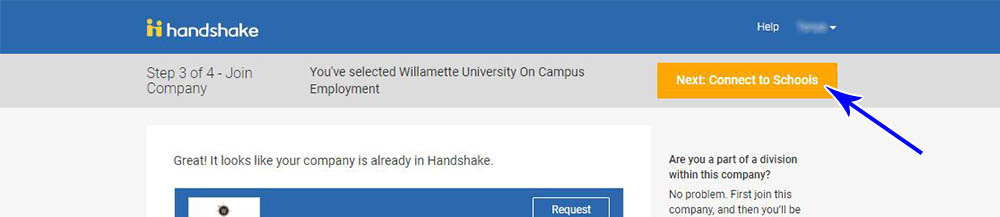
Third: On the following screen, click the “Next: Finish” button.

Check your email
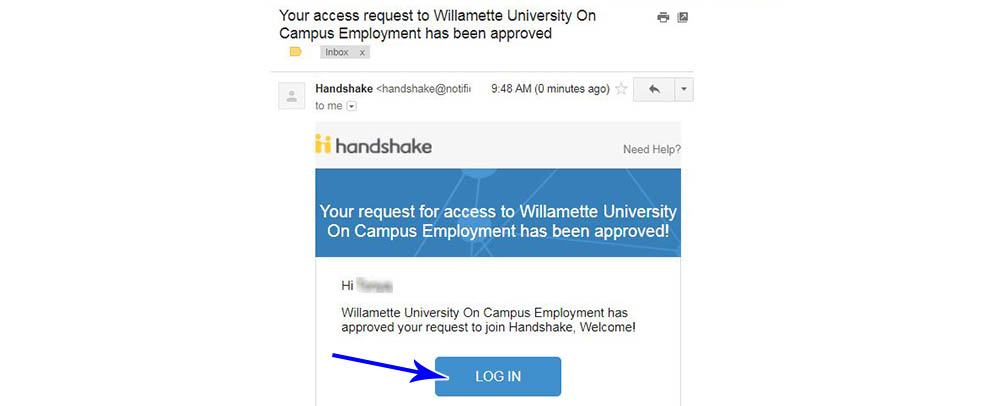
- Check your inbox for an email to approve your Handshake access.
- Click the “Log in” button
Log in using your Willamette email address.
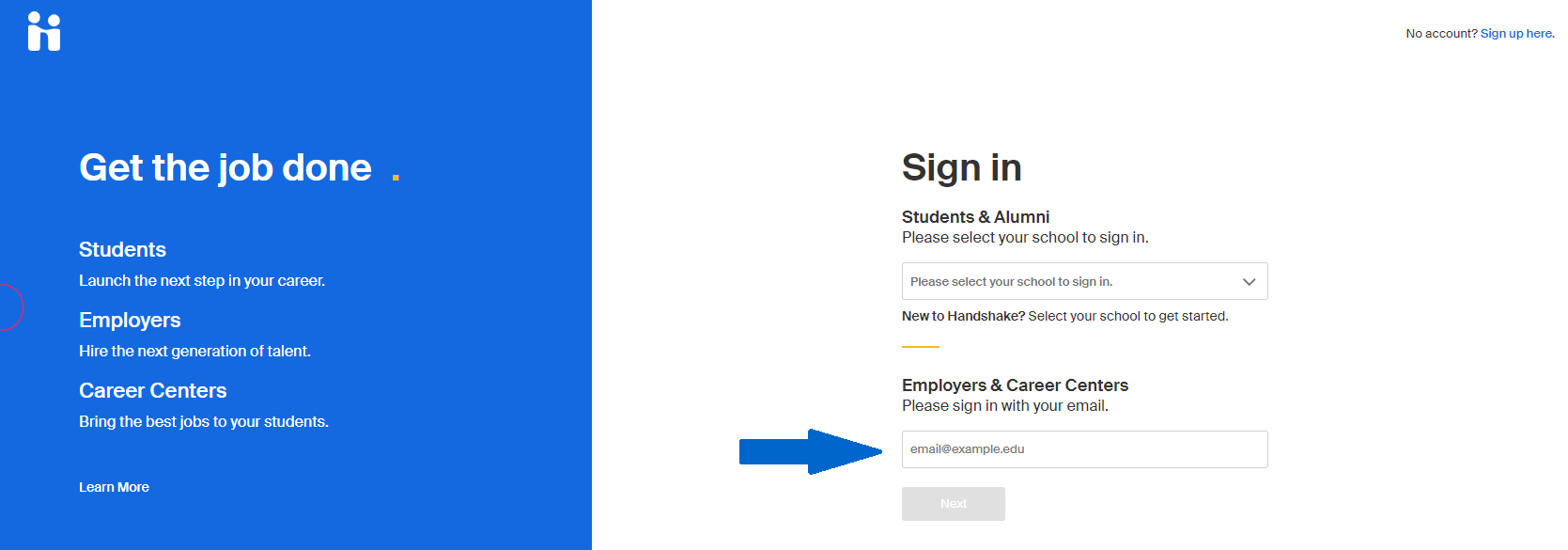
Enter the password you just created for Handshake and click the “Log In” button