Award Letters - Accessing and Understanding
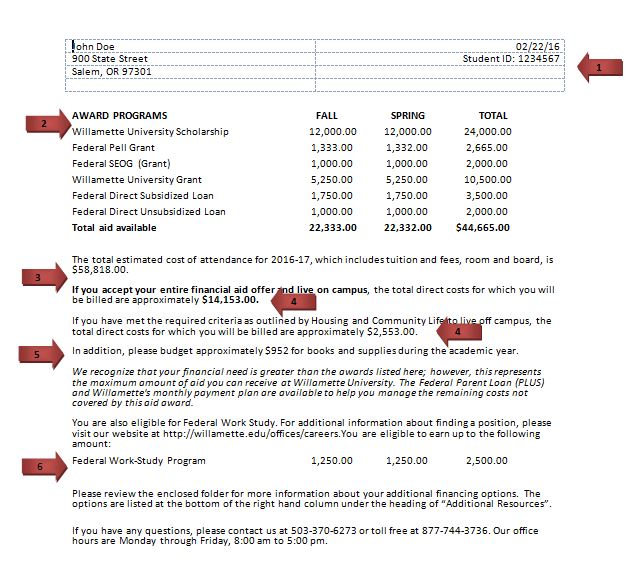
- Student ID: This is your Willamette University Student ID number, which will be your ID number for the entire time you are a Willamette student.
- Award Programs: Your scholarship, grant, and/or student loan eligibility is listed here.
- Estimated tuition, fees, room and board costs: Your estimated costs for tuition, fees, room, and board are listed here. Note, if you are approved to live off campus, then you are not charged room and board by Willamette University.
- Costs for which you will be billed: The amount listed here is approximately what you and your family will be billed for by Willamette University, assuming that you utilize all scholarships, grants, and loans listed under the Award Programs section. Two amounts are displayed here, depending if you will be living on campus (and therefore charged room and board by Willamette University) or if you are approved to live off campus.
- Books and supplies: In addition to tuition, fees, room, and board, you will also need to budget for books and supplies for the school year. The University does not bill you directly for these costs—you can buy books and supplies from any source (including our on-campus bookstore). You should plan for this out-of-pocket expense at the beginning of each semester.
- Federal Work Study: If you qualify for the Federal Work Study program, the amount will be listed here. It is listed separately because that funding is not available to you at the start of each semester to offset the costs of tuition, fees, etc. Federal Work Study is only paid to you over the course of the school year as you work and earn the wages.
Entering students and applicants will access Colleague Self Service directly at https://collslfsrv.willamette.
edu/Student/ to view their award letter. Students should use the log in information sent to them by the Office of Financial Aid. The email sent to students will include a temporary password. The password will need to be changed immediately. 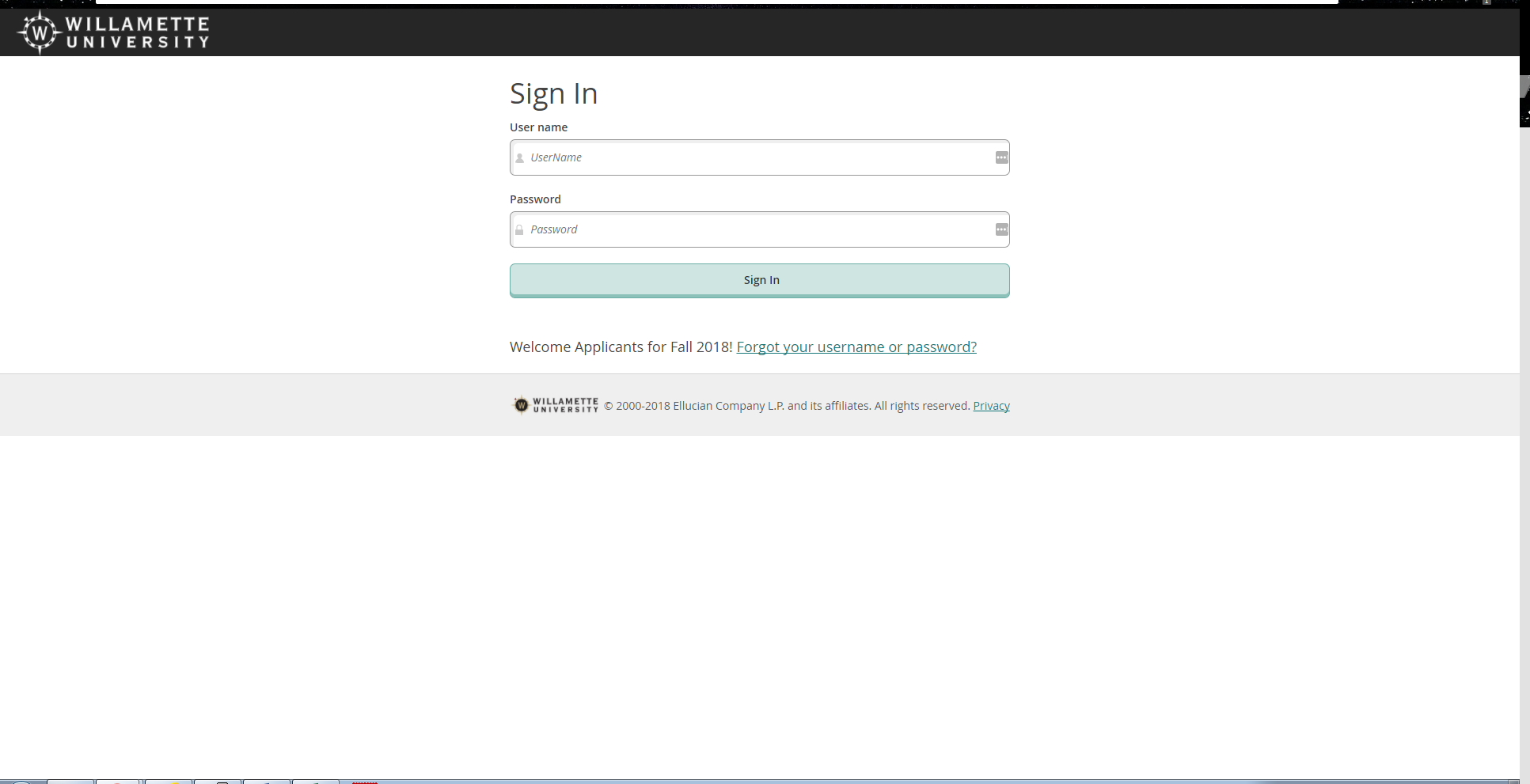
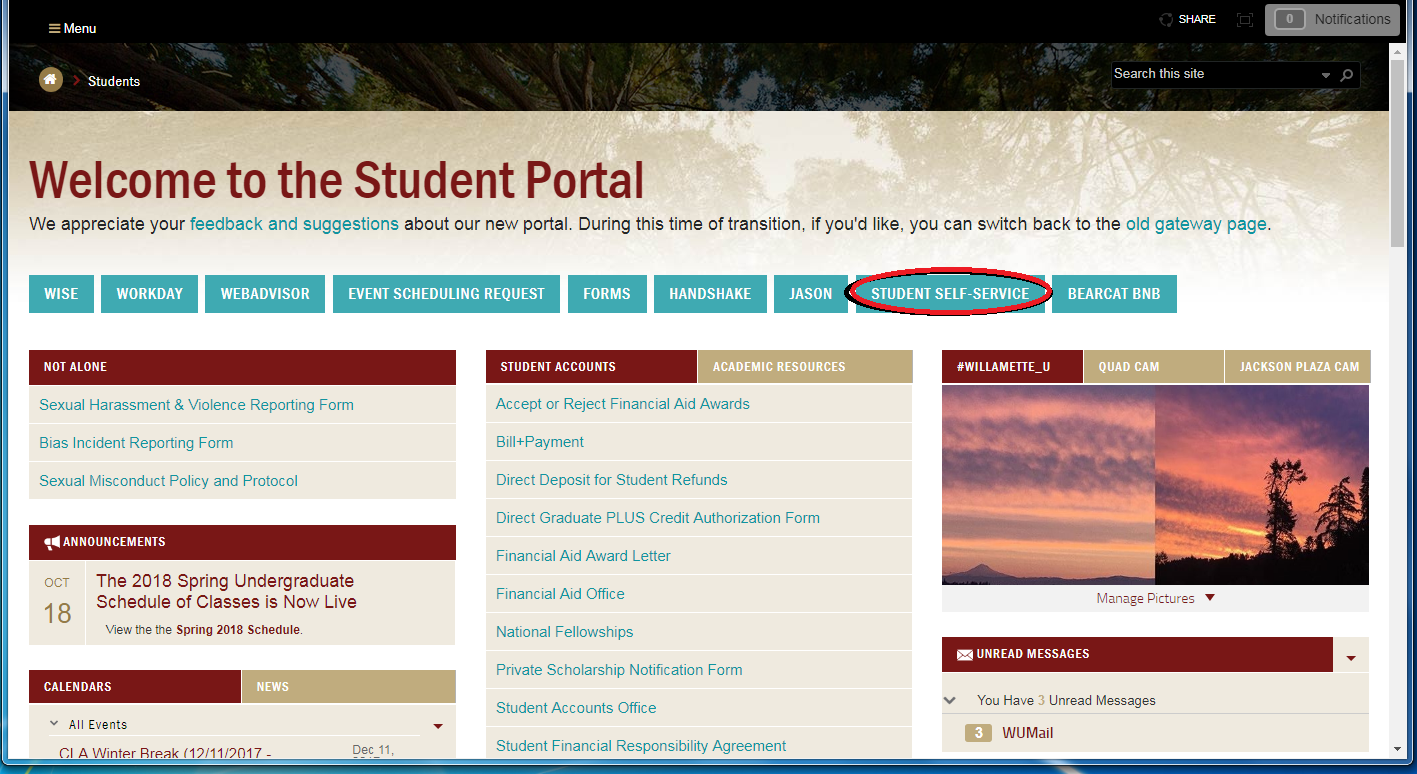
Current students will access Self Service through the Portal. Once logged into the Portal, students will see the Student Self Service link across the top.
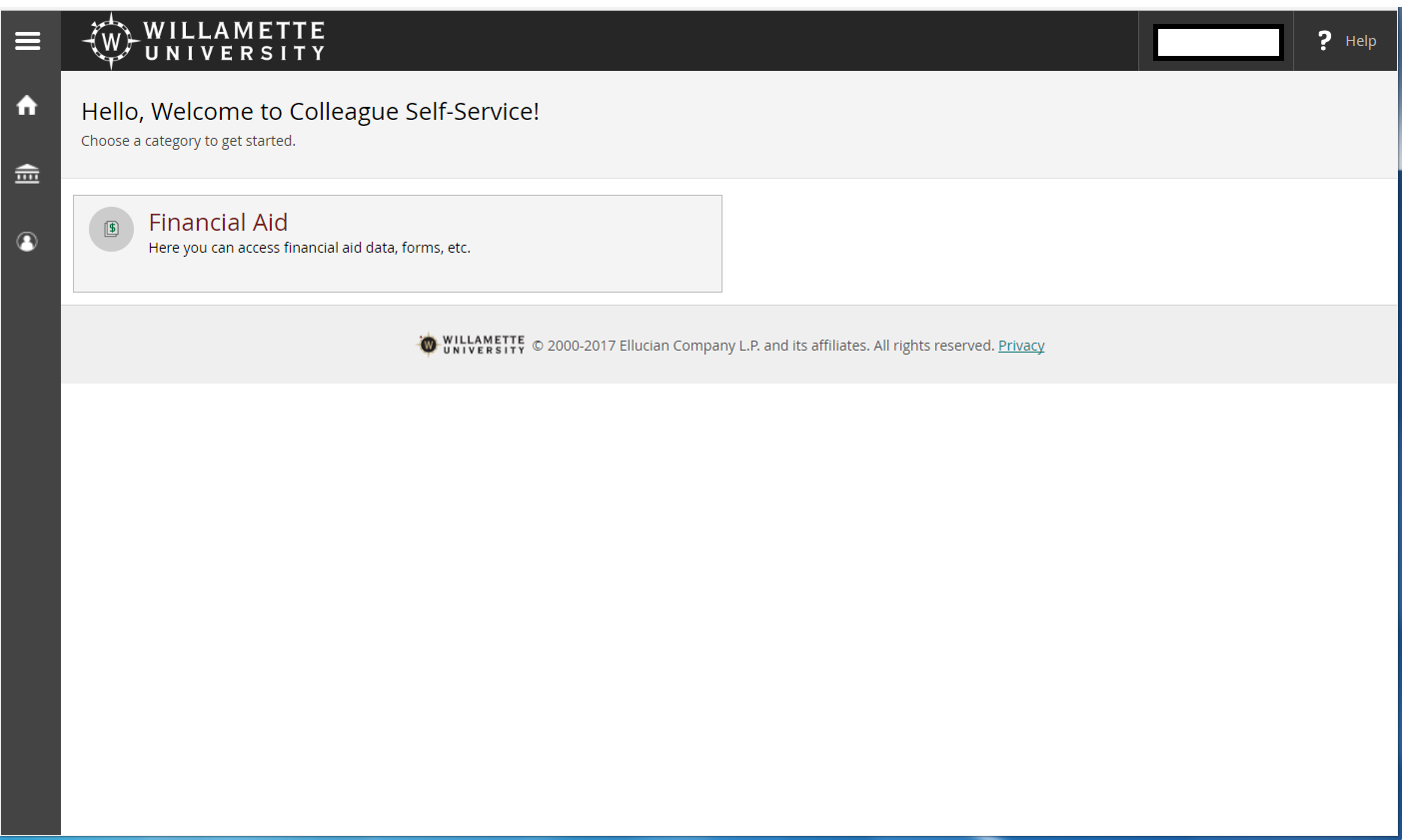
Once logged into Colleague Self Service, students will see the following page. Click on the “Financial Aid” box to access the financial aid record.
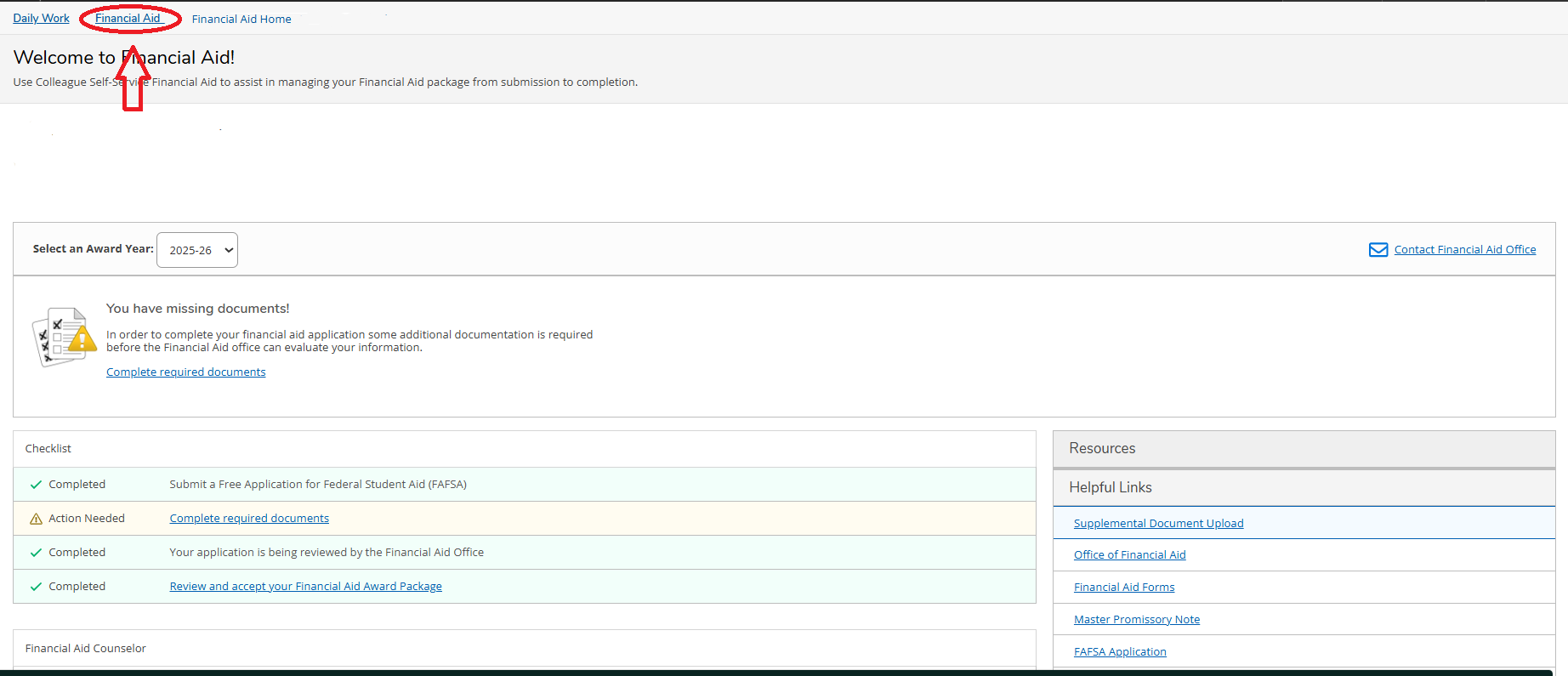
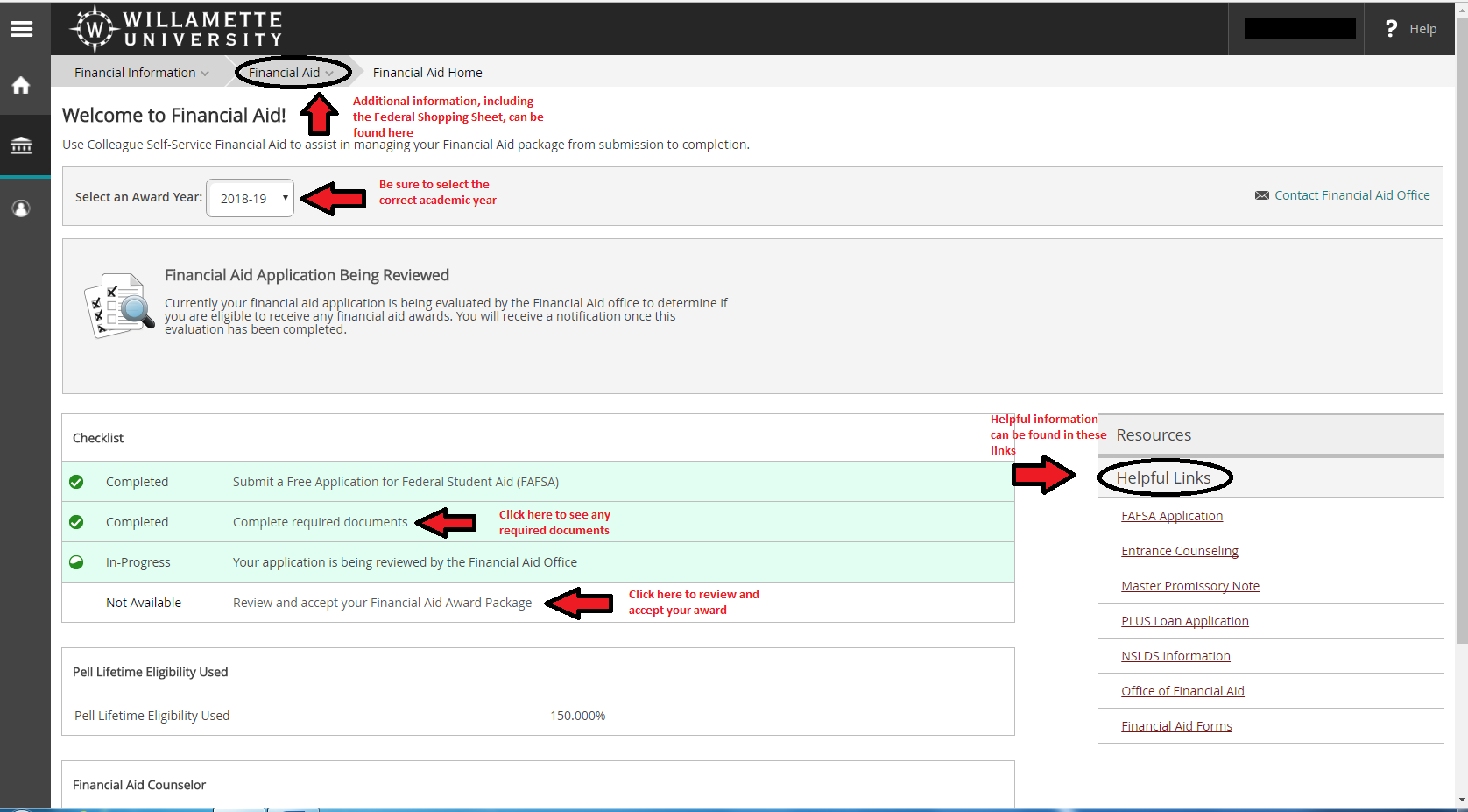
Your Colleague Self Service Checklist will show you where your file is in the financial aid process and inform you of your next steps.
Entering students and applicants will access Colleague Self Service directly at https://collslfsrv.willamette.
edu/Student/ to view their College Financing Plan. Students should use the log in information sent to them by the Office of Financial Aid. The email sent to students will include a temporary password. The password will need to be changed immediately. Current students will access Self Service through the Portal. Once logged into the Portal, students will see the Student Self Service link across the top.
Once logged into Colleague Self Service, students will see the following page. Click on the “Financial Aid” box to access the financial aid record.
Your Colleague Self Service Checklist will show you where your file is in the financial aid process and inform you of your next steps.