Registrar
How to Update Your Emergency Contact Information in SAGE
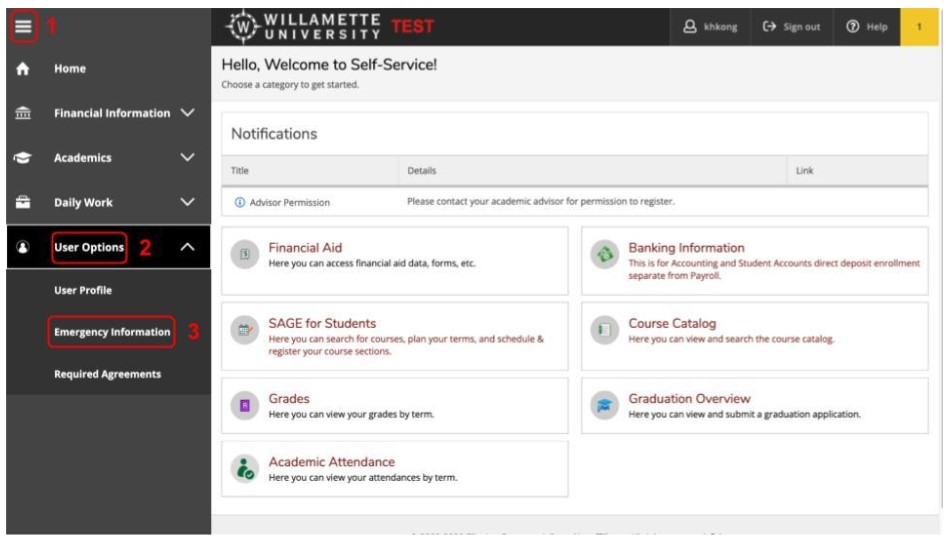
Log into SAGE from the Willamette Student Portal. Once you're in SAGE, click on the
left side bar and select the three bars in the top left corner. Click on "User Options" in
the left-hand navigation bar (last option), then "Emergency Information."
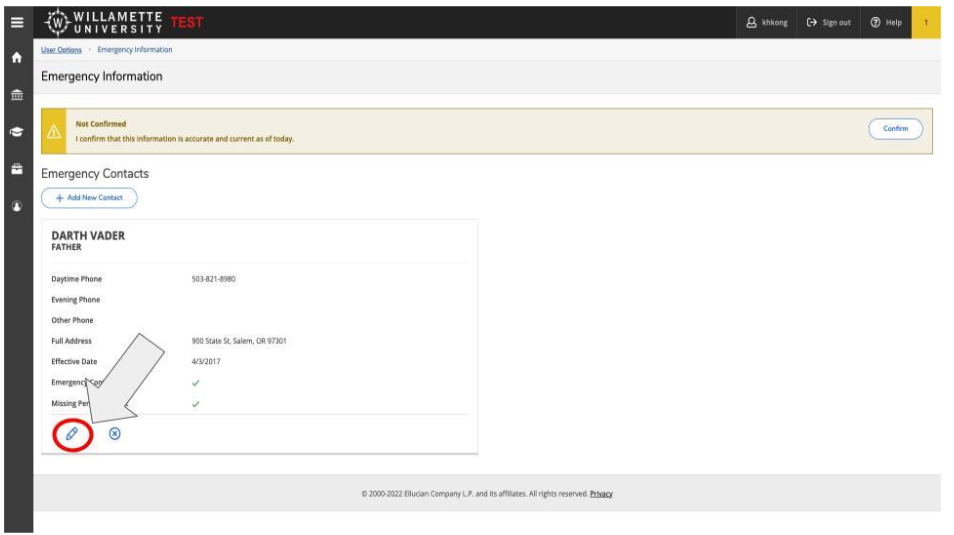
 Select the pencil icon on the bottom left to update your emergency contact. If there is no
emergency contact already, select the “Add New Contact” button.
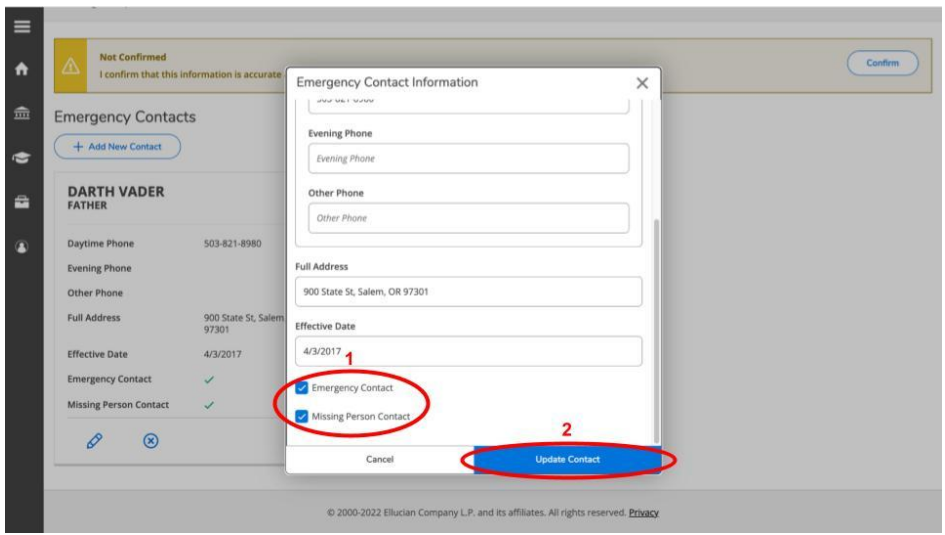
Enter the information of your emergency contact. Make sure to designate either that
person or another person as a missing person contact. After you have filled in this
information, click “Update Contact.”
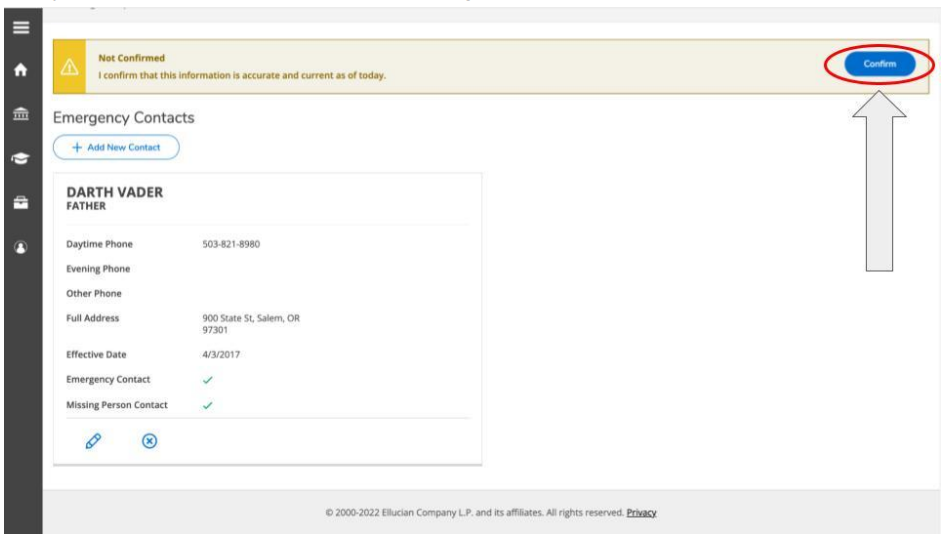
Lastly, select the confirm button in the top right corner.