SAGE Reference for Students
SAGE is a tool designed to help students plan their path to degree completion. Students may
create a plan for future semesters, schedule course sections, track progress, request review of
their plan by their advisor, and register for courses all in one place.
Faculty assist along the way by reviewing and approving plans and helping students move
planned courses around to ensure timely degree completion.
Log onto Self Service
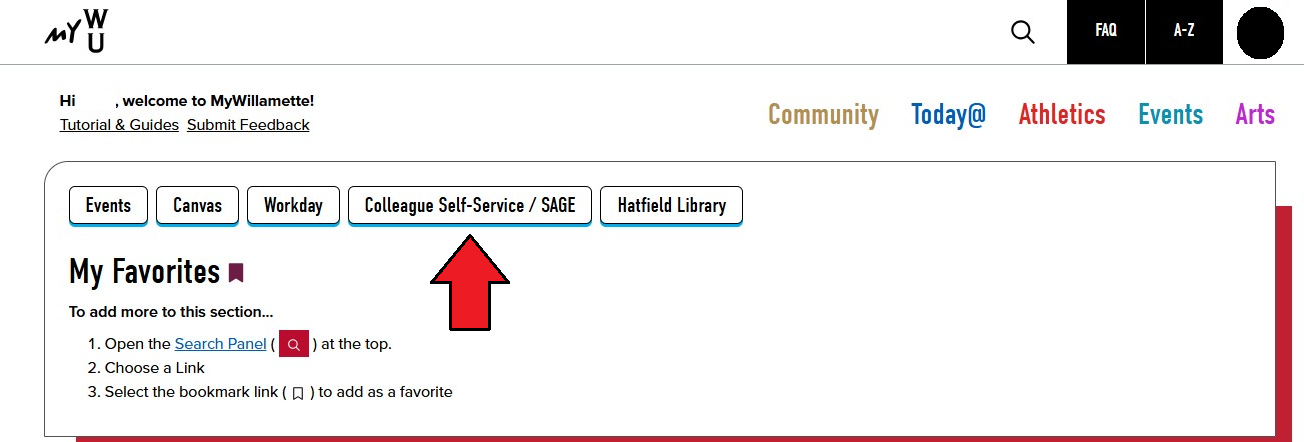
From the Student Portal (https://my.willamette.edu/), choose Colleague Self-Service/SAGE.
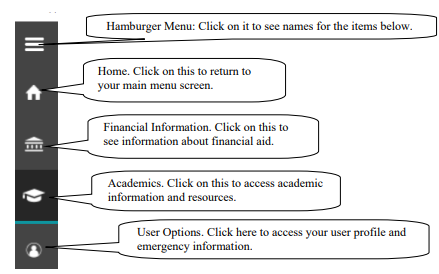
System Layout
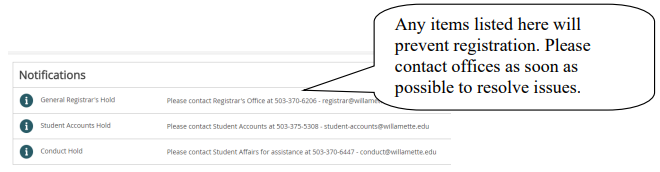
Notifications
SAGE for Students
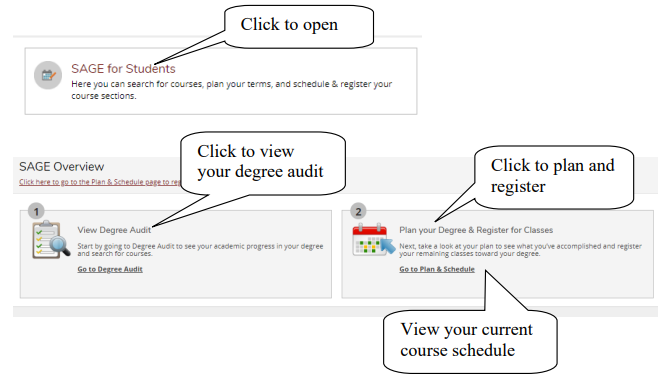
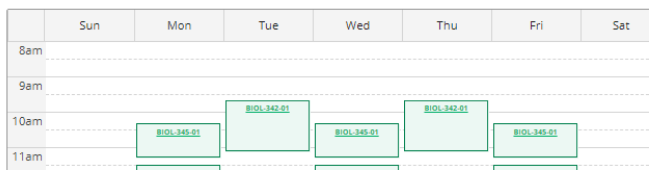
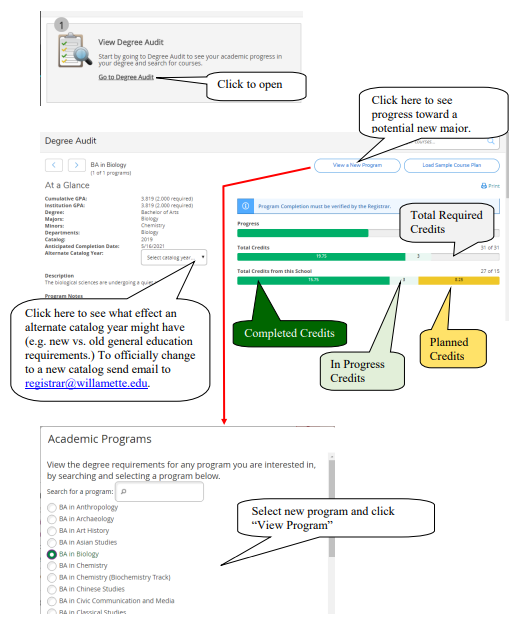
Degree Audit (Progress Toward Degree)
View the Completion Status of Each Degree Program Requirement
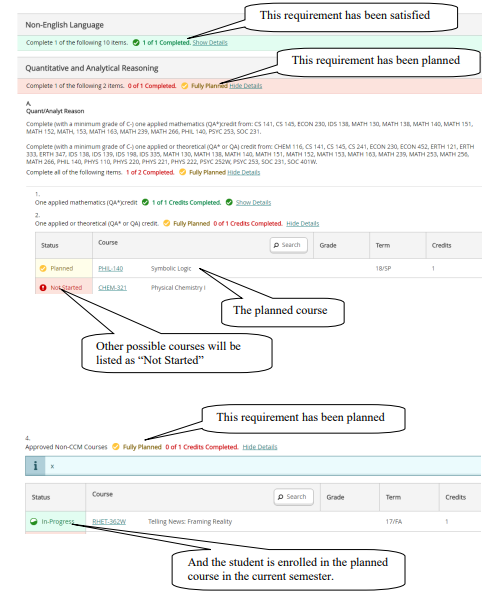
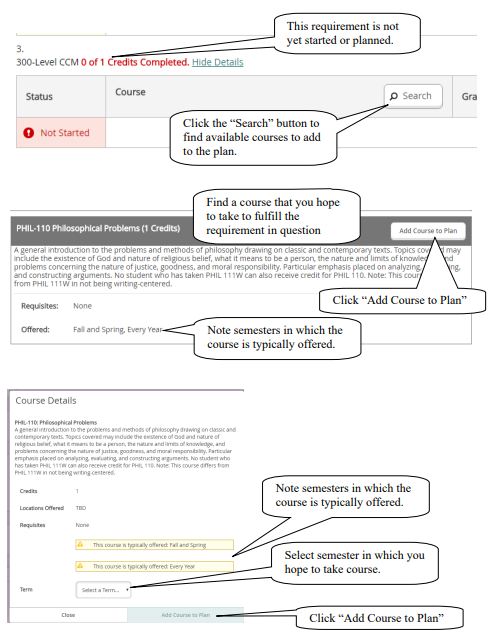
Add Courses to Your Plan
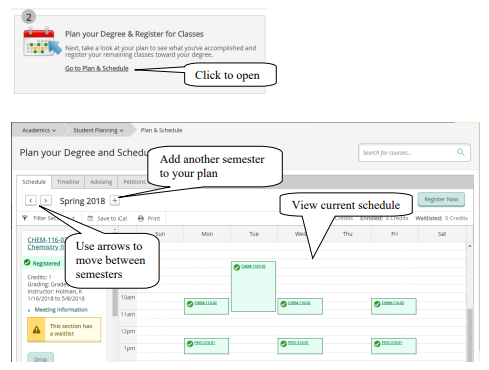
View Plan and Register
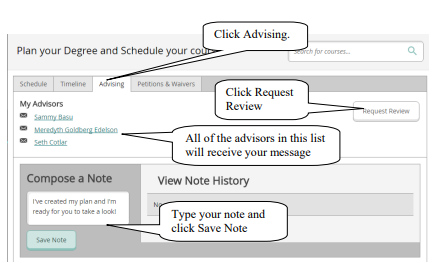
Request Review of your Plan by your Advisor
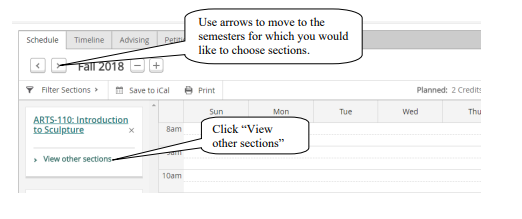
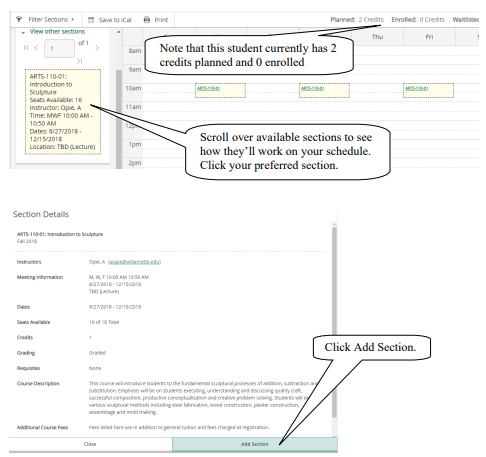
Select Course Sections for a Semester
Waitlist
If a course has a waitlist you’ll see this:

If you’d like to be on that waitlist, click the Add Section button. Information about how waitlists
work is available here: https://willamette.edu/offices/registrar/pdf/noteaboutwaitlists.pdf
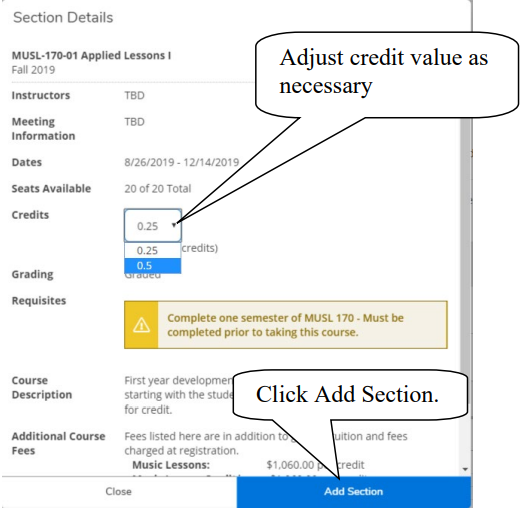
Variable Credit
Courses which have variable credit values (e.g. Music Lessons) default to the minimum credit
value. If that’s not the credit for which you intend to enroll, please adjust the credit value.
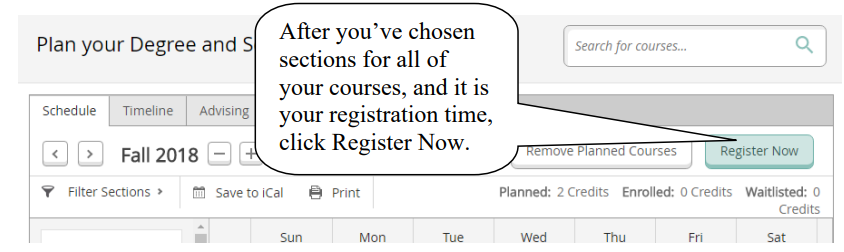
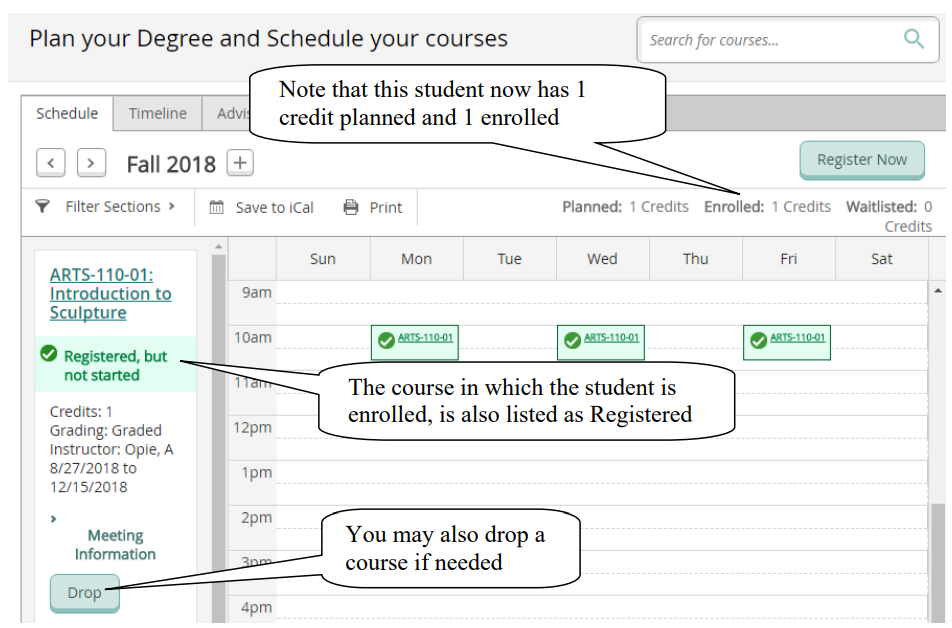
Register or Drop
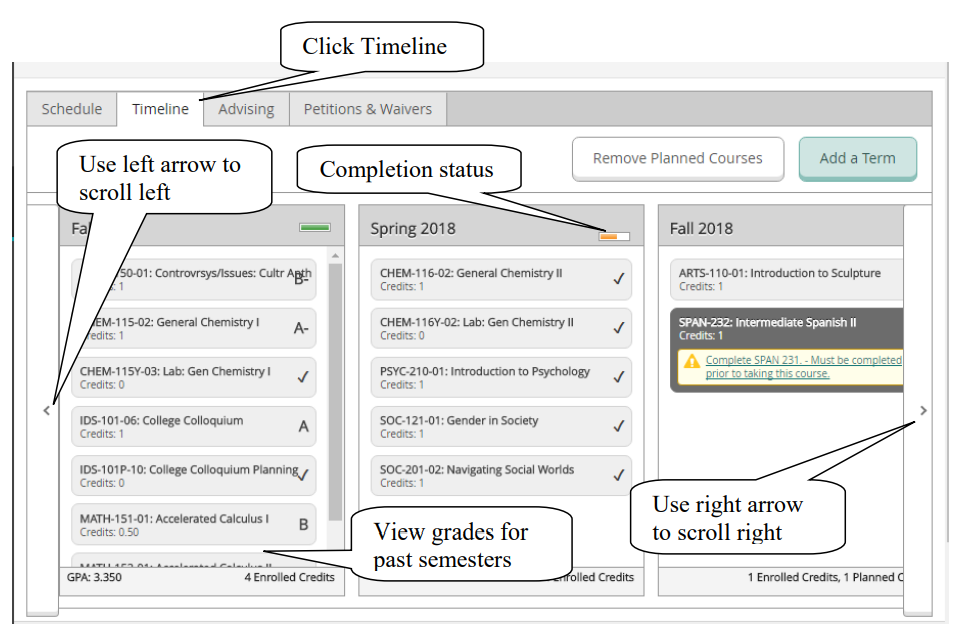
View Grades for Completed Sections and Planned/Registered Sections for Future Semesters
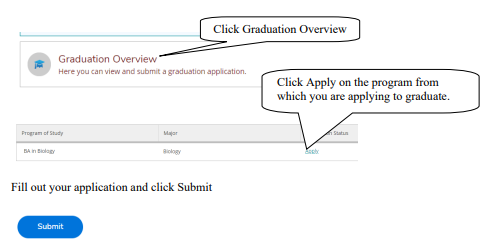
Apply For Graduation